There is a kind of frustration that comes when you realise you are building infrastructure for your infrastructure. I ran into this while working on a habit tracking app. The app used Firestore as its backend. When a write request occurs, it marks the record as dirty. A background process flushed the queue, cleared the flags, and confirmed the write. It was working initially. But I realised I had spent three days building this. I had not yet built the actual habit features. After a few tests, reads were returning stale data. Some entries appeared twice. Some didn't appear at all. At that point, I was no longer building a habit tracker; I was debugging the sync system I built to support it.
That is it. I started looking for a different approach. That led me to Turso's embedded replica.
Why SQLite Seemed Like the Answer
SQLite was the first thing I considered. No network calls. No connectivity checks. The database is a local file on the device. That made it a natural fit for an offline-first app. Easy to set up and configure.
The problem appeared quickly. The SQLite file lives on one machine. A second device has no access to it. Serverless functions have no filesystem. Backups mean copying it manually and hoping nothing writes during the copy.
SQLite works on one machine. Getting the data anywhere else is entirely your responsibility. That is just replacing one problem with another.
Do we want to implement sync for SQLite?
Before discussing any tool, it is worth nothing what sync infrastructure actually involves when you build it yourself.
You need to track which records changed locally, then flag them as unsynced. Once that is done, watch for a connectivity signal until the connection is restored. You flush the unsynced records to the remote when the connection is restored. You handle a flush that fails halfway. You handle an app that closes mid-flush. You handle two devices writing the same record while both were offline. You handle a remote that rejects a record because it already has a newer version.
Thinking about and solving all of it feels way too complex, and remember I was building a habit tracker!. Some teams get it right after a week, while others may even ship apps with data loss and bugs. The record appears synced, but a conflict-resolution edge case might have caused the write to be dropped. We don't know.
Turso?
Turso is a cloud database built on libSQL, which is a fork of SQLite. SQLite has no network layer by design. It is a C library that opens a file. libSQL adds HTTP access, replication and embedded replicas on top of SQLite's query engine.
It accepts the same queries, works with the same tooling, and runs in the cloud, replicating data wherever your application runs. You can set it up via their CLI. It gives you a connection URL and an auth token to point your app at.
Turso's architecture has a single primary database and replicas worldwide. The primary DB is the main source for all writes. Replicas are copies of the primary DB in other regions that handle only reads. So if there are users in Tokyo and London who want to read, the Tokyo users read from a Tokyo replica, and the London users read from a London replica. For every query, neither of them makes a round-trip to the primary Database region. If the primary Database goes down, the replicas can still serve reads. The data might be a few seconds old, but it won't be corrupted or inconsistent. This singlehandedly makes Turso globally fast; the data is already near the users before any read request even happens.
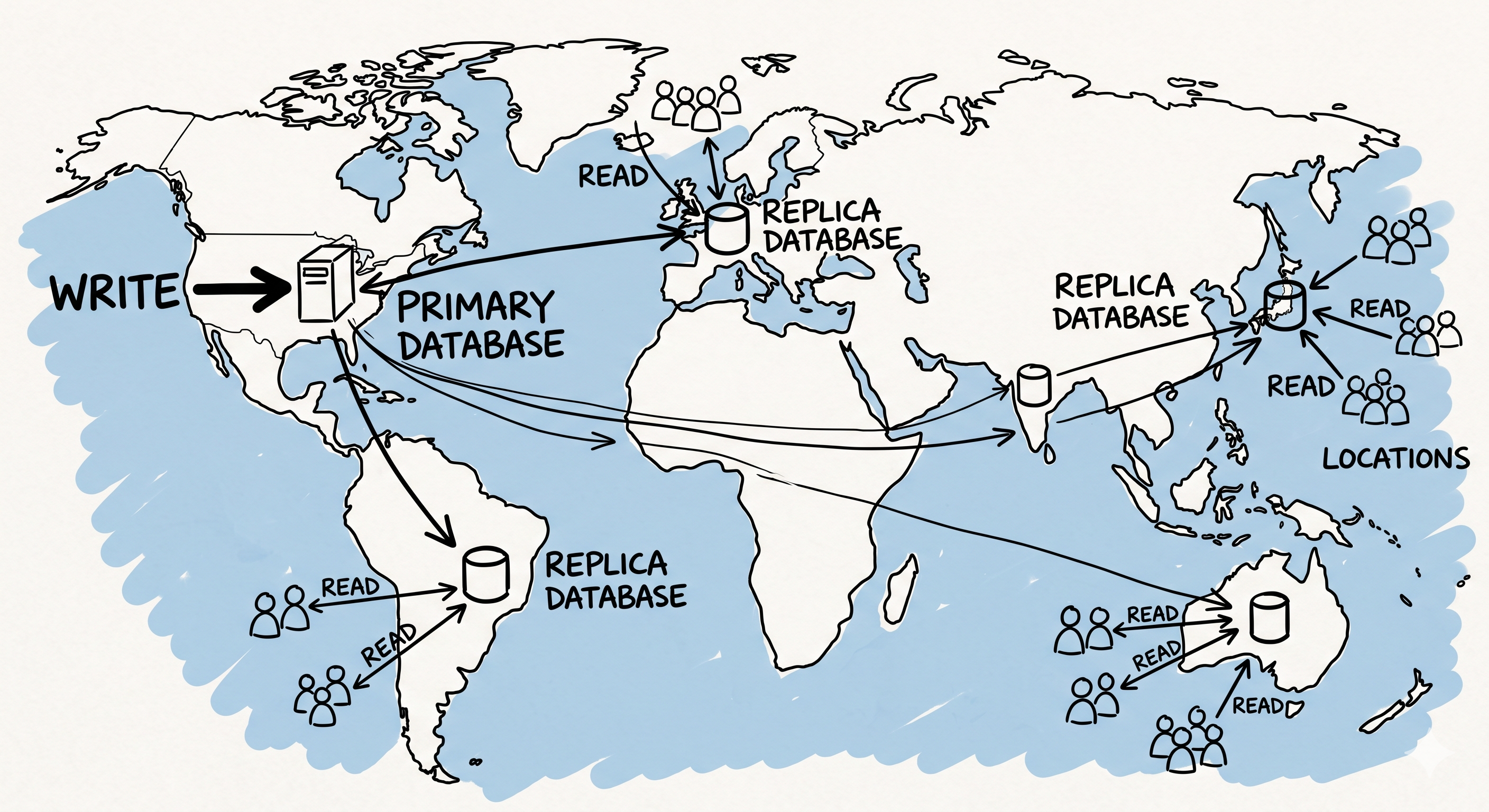
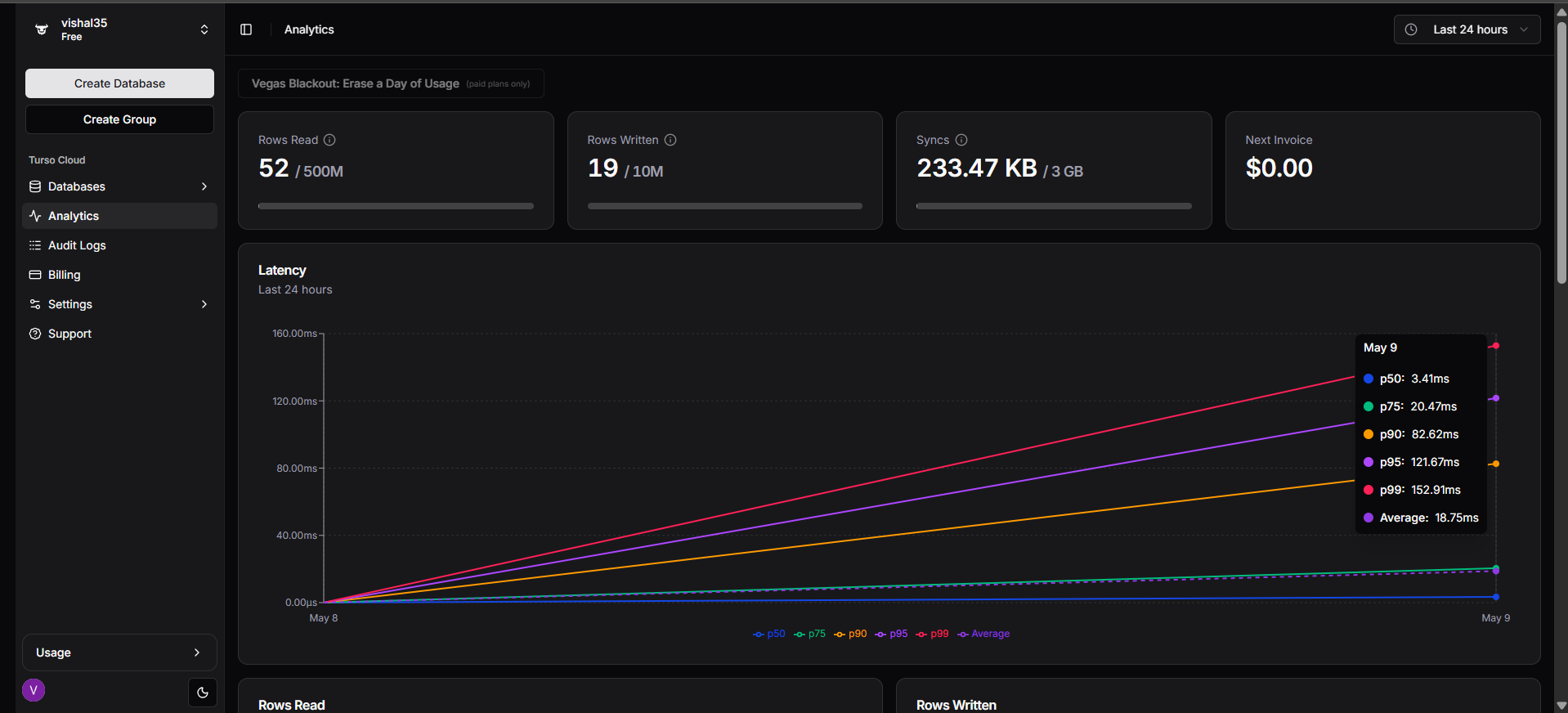
How the Turso Embedded Replica Works
This is the feature that replaced my entire sync system.
The standard Turso setup is a remote connection. The application sends queries over the network to Turso's servers, and the results come back. When I ran this from Hyderabad to a primary Turso database on AWS Mumbai, the read latency averaged around 380ms per query. Turso also ships with encryption at rest, WebAssembly triggers, shared schema across multiple databases, and vector search for AI applications. The database-per-user architecture has been picking up a lot of adoption.
Embedded replica changes the model completely. Instead of querying the database directly, it keeps a local SQLite file on your machine. That file stays in sync with the primary database. All reads come from the local file. Writes go to the remote primary. Sync happens on a timer or when you call it manually.
Adding two parameters to your existing client setup, that's all it takes to activate embedded replica:
const client = createClient({
  url: 'file: backend/db/replica.db',
  syncUrl: process.env.TURSO_DATABASE_URL,
  authToken: process.env.TURSO_AUTH_TOKEN,
  syncInterval: 60,
});
After this change, when the server started, four files appeared automatically on disk: the replica .db file, a WAL journal, a shared memory file, and a sync metadata file. No additional setup needed. The same read that took 380ms now came back in 0.52ms because it was hitting the local file, not the server in Mumbai. You can find the full implementation details in the embedded replica documentation.
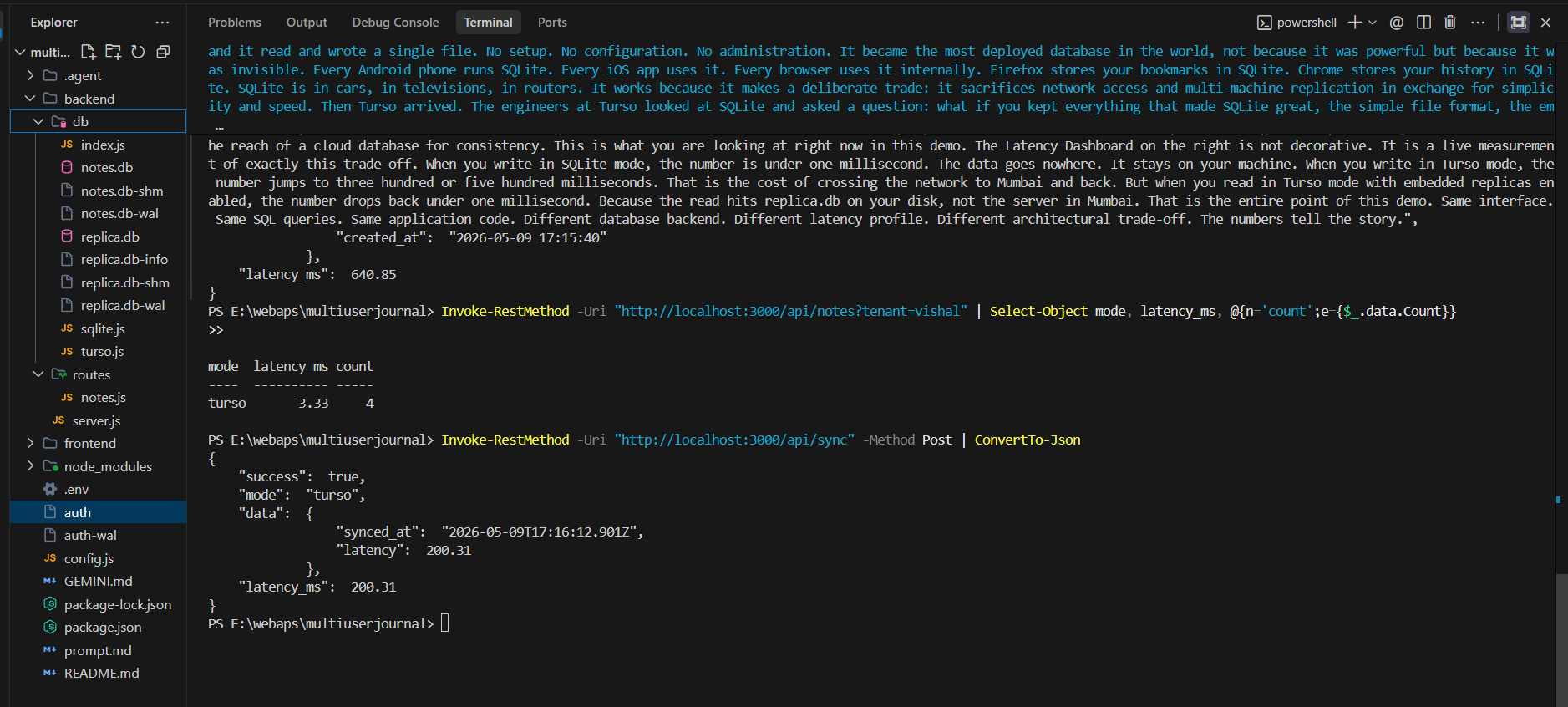
Calling client.sync() pulls the latest changes from the remote into the local file. That took
200ms in my test. That 200ms is a one-time cost per sync cycle and not a per-query cost.
After sync, all reads come from the local file until the next sync runs.
What Turso Actually Replaced
This replaced the dirty flag system, the background process, the flush queue, the retry logic, and the device-to-device conflict handling. I didn't write any of it. All of that infrastructure already exists inside libSQL's sync engine.
One function call syncs everything: client.sync(). WAL frame tracking, retries, and
consistency are all handled internally. Now this is a goldmine for solo devs or small teams. The latency
number, going from 380ms to 0.52ms, matters and is pretty good. Still, the real value is
the sync engine we got from libSQL, and the time and energy I saved not having to worry about building and
maintaining this whole complex part is just bananas.
Where It Does Not Help
While reads are completely offline and always come from the local file on your machine, writes go straight to the remote primary database in Mumbai. From my tests, a 1200-word paragraph took 640ms from Hyderabad to Mumbai. So if your application needs very low write latency, an embedded replica won't be useful.
Without this config, a write from an offline device goes to the remote, fails, and is lost. However, there
is an offline: true config option that makes it work when offline. With this config, writes go
to the local SQLite file first and sync to the remote when connectivity returns. The habit tracker works
well. Write offline, read it back from the local file, and it syncs automatically when connectivity returns.
It automatically syncs once the internet is back, but for an app like Google Docs, it won't work at all.
Turso uses last-write-wins conflict resolution, which means that if two devices write the same record while both are offline, whoever syncs last to the primary survives. There is no such automatic conflict resolution from Turso for two devices. If you are building something multi-user and collaborative, this is an edge case you should consider.
If your app is doing heavy concurrent writes or needs real-time multi-user editing, the Turso embedded replica is not the right tool for that, but if you are on a local network, let's say Mumbai, the write latency will be impressive.
How It Compares to What Else Is Out There
When I was looking for alternatives, I started with how companies like WhatsApp scale. I found out they use SQLite. I decided to build around SQLite. Encryption was also a must since users write personal journal entries, I also came across Neon, its serverless too but on Postgres, but it was not solving my offline first problem, and still slow because of round trip on every query, It wasnt fit for me, Then considering Supabase was good, but Supabase its a whole backend platform, if i was starting to build my app and if i were in my early stage, supabase would have made sense. Still, I only needed the database layer, and bringing in Supabase for that alone didn't make sense to me.
PlanetScale is MySQL-compatible, but they removed their free tier way back in 2024, and they don't have an embedded replica model. For SQLite-native workloads, my problems were not getting solved. Cloudflare D1 is compatible with SQLite and fast, but it only works in the Cloudflare Workers ecosystem; my app was not on Cloudflare.
All of them were great. None of them had what I specifically needed: SQLite syntax, offline-first reads, cloud sync, serverless compatibility, and no custom sync to build.
When It Makes Sense to Reach For It
If you are someone who is building something where users need to read and write data offline first and don't want to build an entier sync system by yourself in the initial stage and save some time of your project, Turso nails what SQLite can't, But if you are looking for high scalability with real time collaboration and very heavy writesit's safe to say you need full Postgres features. That is not what this is. Building the sync yourself would be helpful because it costs between $24 to $400 a month, so you won't be spending on that for your lifetime; you will have more control over everything.
Building a whole sync engine for an offline-first app? It's worth checking out Turso's embedded replica documentation to see if you are building something that already exists; if so, it's a no-brainer to opt for it.